I used the following video to install Docker Compose. Worked great. But I had problems when the video had me use it to run Uptime Kuma. Ultimately, you’re supposed to copy the IP address from the file created at time index 10:58, paste it into a web browser, and bring up the Uptime Kuma page. Unfortunately, the page timed-out.
I’m not sure where the error is. The video did mention using port 3001, but to use another port if that’s being used. I’m not sure how to determine that.
Not sure if this is an exercise in futility as I don’t have a server at home. I thought Uptime Kuma would let me monitor traffice in and out of my home.
Here’s the code I entered into my Docker Compose file: (sorry if I didn’t format this correctly.)
mike@debian:~/uptime-kuma$ ip addr show
1: lo: <LOOPBACK,UP,LOWER_UP> mtu 65536 qdisc noqueue state UNKNOWN group default qlen 1000
    link/loopback 00:00:00:00:00:00 brd 00:00:00:00:00:00
    inet 127.0.0.1/8 scope host lo
       valid_lft forever preferred_lft forever
    inet6 ::1/128 scope host noprefixroute
       valid_lft forever preferred_lft forever
2: enp0s1: <BROADCAST,MULTICAST,UP,LOWER_UP> mtu 1500 qdisc fq_codel state UP group default qlen 1000
    link/ether 0e:1f:b9:bc:bc:c0 brd ff:ff:ff:ff:ff:ff
    altname enx0e1fb9bcbcc0
    inet 10.0.2.15/24 brd 10.0.2.255 scope global dynamic noprefixroute enp0s1
       valid_lft 75422sec preferred_lft 75422sec
    inet6 fec0::6ebe:c036:79dd:d72d/64 scope site temporary dynamic
       valid_lft 86223sec preferred_lft 14223sec
    inet6 fec0::c1f:b9ff:febc:bcc0/64 scope site dynamic mngtmpaddr noprefixroute
       valid_lft 86223sec preferred_lft 14223sec
    inet6 fe80::c1f:b9ff:febc:bcc0/64 scope link noprefixroute
       valid_lft forever preferred_lft forever
3: docker0: <NO-CARRIER,BROADCAST,MULTICAST,UP> mtu 1500 qdisc noqueue state DOWN group default
    link/ether 62:41:1b:45:17:40 brd ff:ff:ff:ff:ff:ff
    inet 172.17.0.1/16 brd 172.17.255.255 scope global docker0
       valid_lft forever preferred_lft forever
    inet6 fe80::6041:1bff:fe45:1740/64 scope link proto kernel_ll
       valid_lft forever preferred_lft forever
6: br-fa0b4493f1b9: <BROADCAST,MULTICAST,UP,LOWER_UP> mtu 1500 qdisc noqueue state UP group default
    link/ether 4e:22:3d:e1:0f:c4 brd ff:ff:ff:ff:ff:ff
    inet 172.18.0.1/16 brd 172.18.255.255 scope global br-fa0b4493f1b9
       valid_lft forever preferred_lft forever
    inet6 fe80::4c22:3dff:fee1:fc4/64 scope link proto kernel_ll
       valid_lft forever preferred_lft forever
7: veth45761e5@if2: <BROADCAST,MULTICAST,UP,LOWER_UP> mtu 1500 qdisc noqueue master br-fa0b4493f1b9 state UP group default
    link/ether 7a:9f:e9:d0:fd:78 brd ff:ff:ff:ff:ff:ff link-netnsid 0
    inet6 fe80::789f:e9ff:fed0:fd78/64 scope link proto kernel_ll
       valid_lft forever preferred_lft forever
Are you trying to browse to the UptimeKuma container on Debian or your Mac? If it’s not working on the Mac, you might need to change the network settings for Debian in UTM to bridge so that they’re both on the same network.
I copied the IP address from the code I pasted (section 2) and then went to my browser in Mac and entered it there. But the IP address I copied is 10.0.2.15. I’ve never seen an address that begins with such a low number in the beginning of the address.
If you’ve never seen the 10.0.2.0 IP range before then that means your Mac and Debian VM are probably on two different networks. Check your Mac IP, if it is on a completely different network then I’d suggest changing the Debian network setting in the UTM settings to bridge. This will allow the VM to get a IP that’s on the same network as the Mac.
Will do. Going from memory, I think the network setting I used in UTM was something like virtual or along those lines. I’m at work so I came be certain.
Thanks Cory. I love on an island (Tasmania) and there aren’t a lot of people here who are into tech so I appreciate the connections I have with people do do like computers, no matter where they live.
I tried importing the IPv4 settings, but I did something wrong because I couldn’t connect to the network. I changed the settings back to Automatic and the connection with the Internet was restored.
Can you tell me exactly where to look and what to import? I didn’t find any useful information when I went to the the UTM site and checked around the MacOS section.
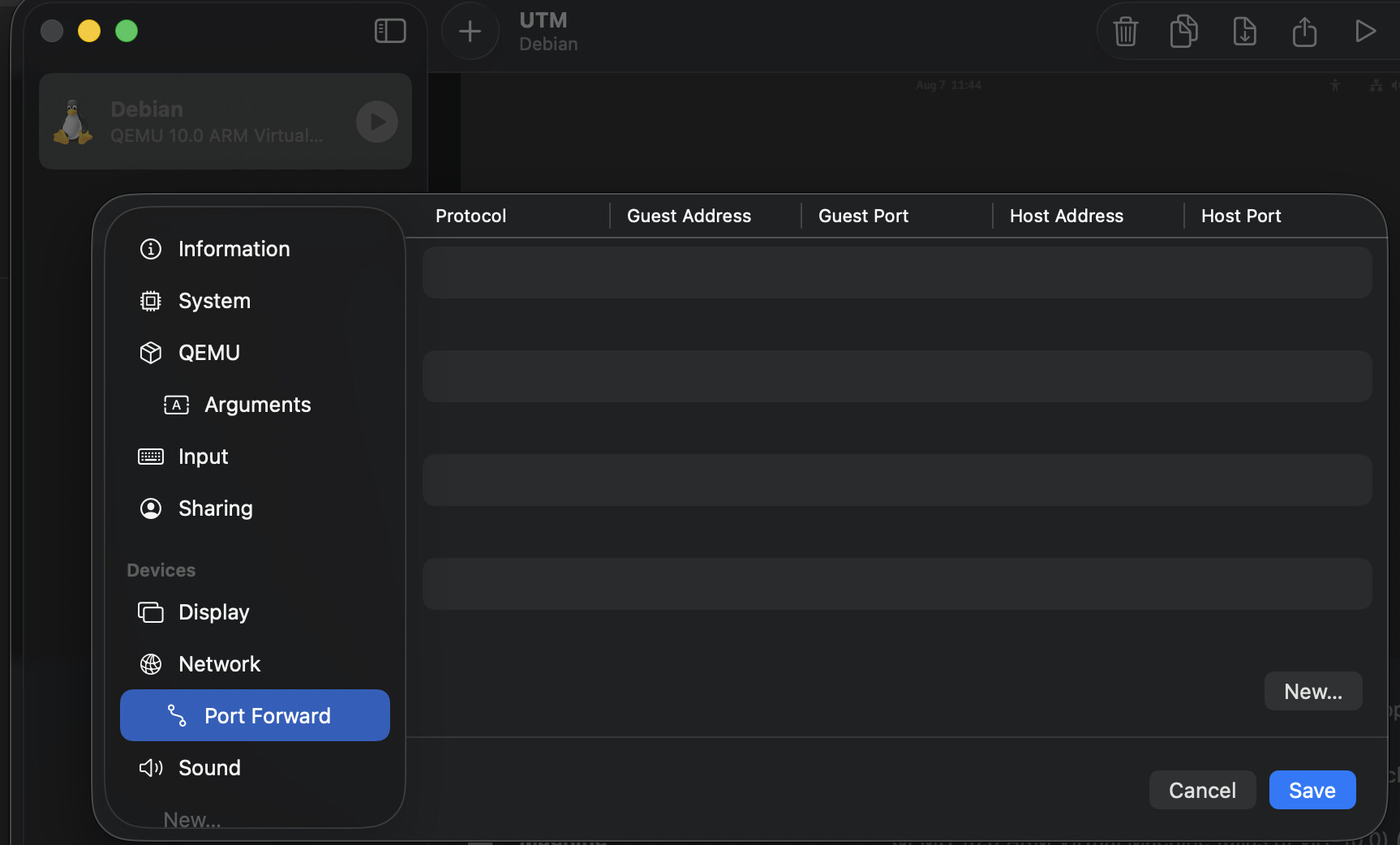
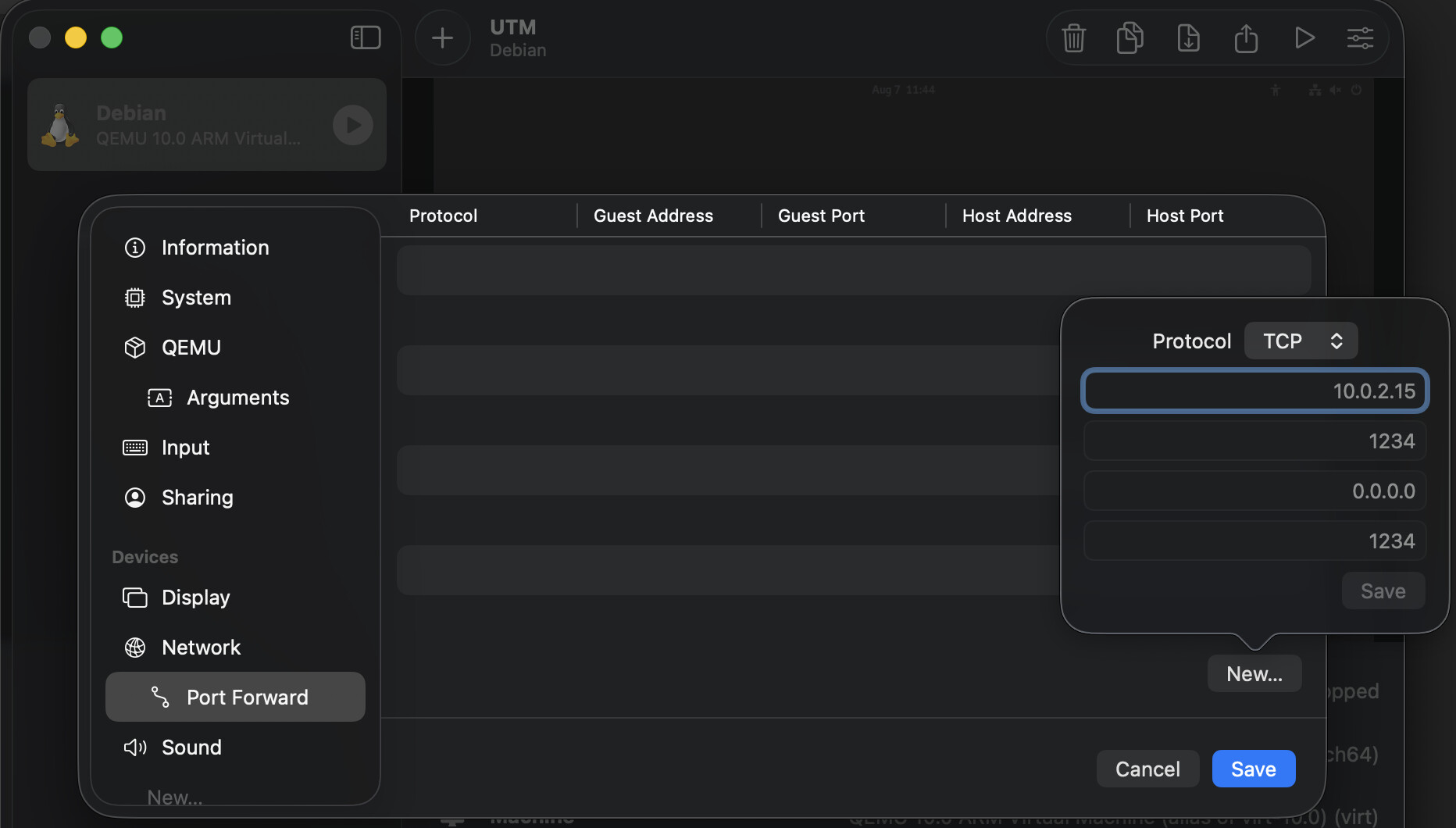
I think I found out where the IP address 10.0.2.0 is coming from. When I open UTM, single-click on Debian, go to Network, and then Port Forward, I don’t see anything. So, I clicked on New. A small window appears with the IP address 10.0.2.0. I could change the IP address. But 1) should I?; 2) would that cause problems? and 3) what IP address would I enter?
On the host running docker, run the cmd:
``` docker ps
```
Use sudo if the user is not in the docker group.
That cmd should show you all containers and the port they are running on. You are interested in the first port number. To get to Uptime-Kuma, use the IP of the host running docker & the port from the cmd above. This, of course, assumes that you are a docker bridge in your docker compose file.
Can you post your docker-compose.yml here without exposing anything sensitive?
Also, for uptime-kuma, it’s important that any other docker containers that you want to monitor with uptime-kuma, all of the containers need to use the same network (ie, docker bridge or the same named network, or host networking, if you are using that.
You don’t have to use a named network like I did, but, if you do, every container you want to monitor use use the same named network. The named network is still a bridge network.
The only time I use a different named network is when I need to isolate a specific container(s) from each other.
****
EDIT
****
After I spent all that time formating the compose file, it still got butchered.
  uptime-kuma:
    image: louislam/uptime-kuma:2
    container_name: uptime-kuma
    restart: always
    ports:
      - "3001:3001"  # This maps the container port "3001" to the host port "3001"
    volumes:
      - uptime-kuma-data:/app/data  # Configuring persistent storage
    environment:
      - TZ=UTC  # Set the timezone (change to your preferred local timezone so monitoring times are the same)
      - UMASK=0022  # Set your file permissions manually
    networks:
      - kuma_network  # add your own custom network config
    healthcheck:
      test: ["CMD", "curl", "-f", "http://localhost:3001"]
      interval: 30s
      retries: 3
      start_period: 10s
      timeout: 5s
    logging:
      driver: "json-file"
      options:
        max-size: "10m"
        max-file: "3"

networks:
  kuma_network:
    driver: bridge

volumes:
  uptime-kuma-data:
I’m sure it’s very basic. But, like I said, this is my first foray into docker containers. In fact, I still consider myself a beginner. However, learning about Linux is fun!