I don’t remember the site where I got this coding. I have been careful, however, to copy coding from reputable sites, such as LearnLinux.com, howtogeek.com, etc.
It sure if I have any containers loaded, if that is the correct phrase. So I apologise any confusion.
My goal has been to learn about Linux. My main machine is a MacBookAir, hence the use of UTM. Once I finished with the basic Linux course recommended on this site and had put UTM on my Mac, I wasn’t sure what to do next. Containers was just something I picked out.
I host almost everything in docker. While docker does have a learning curve, once I got comfortable with docker, I have not created a VM since. Once you learn docker compose, it’s becomes easy to move containers between hosts.
The docker ps cmd should show you all running containers and which port they are configured for. If you can’t get to a specific container, I usually check the ports first to make sure there isn’t another container configured for the same port number. Beyond that, cd in to the directory where the docker compose file is located and run docker compose logs to view the logs from the containerized app.
If you want to view a running log, then use docker compose -f logs. Ctrl-C to break out of the logs and return to the terminal.
I bought a copy of Docker Deep Dive by Nigel Poulton from LeanPub. LeanPub is an awesome resource to purchase ebooks (sometimes for a deep discount while the ebook is still being written). Nigel provides updates often to keep the book update.
A lot of what I know about docker learned came from that book. The rest came from web searches.
Adding to the complexity of containers is my using UTM. Do you know of ways that might affect the installation and use of containers?
Also, do you know of how containers relate to games? Aside from online crossword puzzles and Mahjong, I have lot played computer games since I was in high school. Think 1980’s. Yep. I’m old. But recently I’ve gotten into the 2 Star Wars Jedi games lots of fun and I’m actually good at them. But are containers somehow related to such games?
I have not deployed any games in docker. All of the docker apps I have deployed have some sort of webUI. If the games you mentioned have a webUI, they should work in docker (assuming all other hardware/software requirements are met), but that does not mean that apps without a webUI won’t work. I just don’t have any experience with those types of apps.
I graduated highschool in '86, so I’m old as well.
I run all of my containers on RPI-4’s or miniPC’s, so they don’t have a lot of horsepower. I do, from time to time, have to move containers around due to resource contention. All of the RPI-4’s I have contain 8GB of memory. One of the miniPC’s also has 8GB. The other has 16GB.
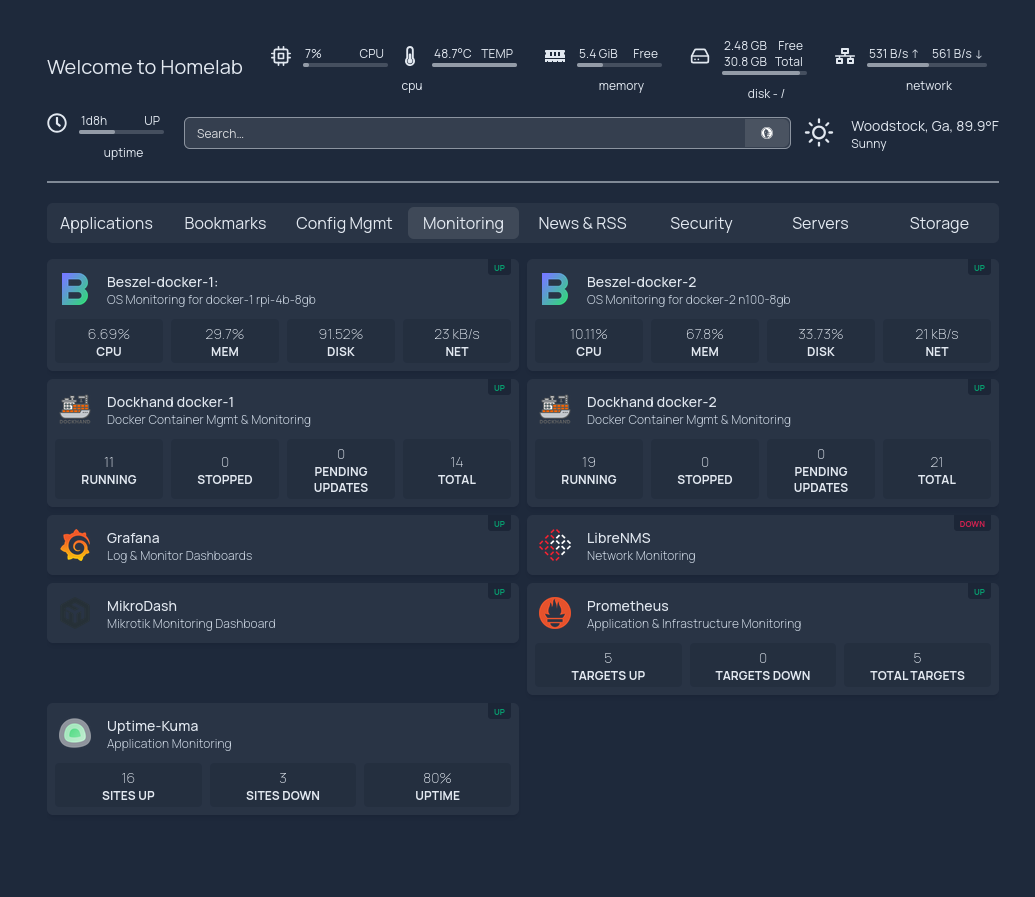
If you are going to build a homelab with apps, then the first app I would recommend would be a DNS server (ad-guard home, pi-hole, etc). There are many. After that, I would suggest a good homepage app, like, well, homepage: