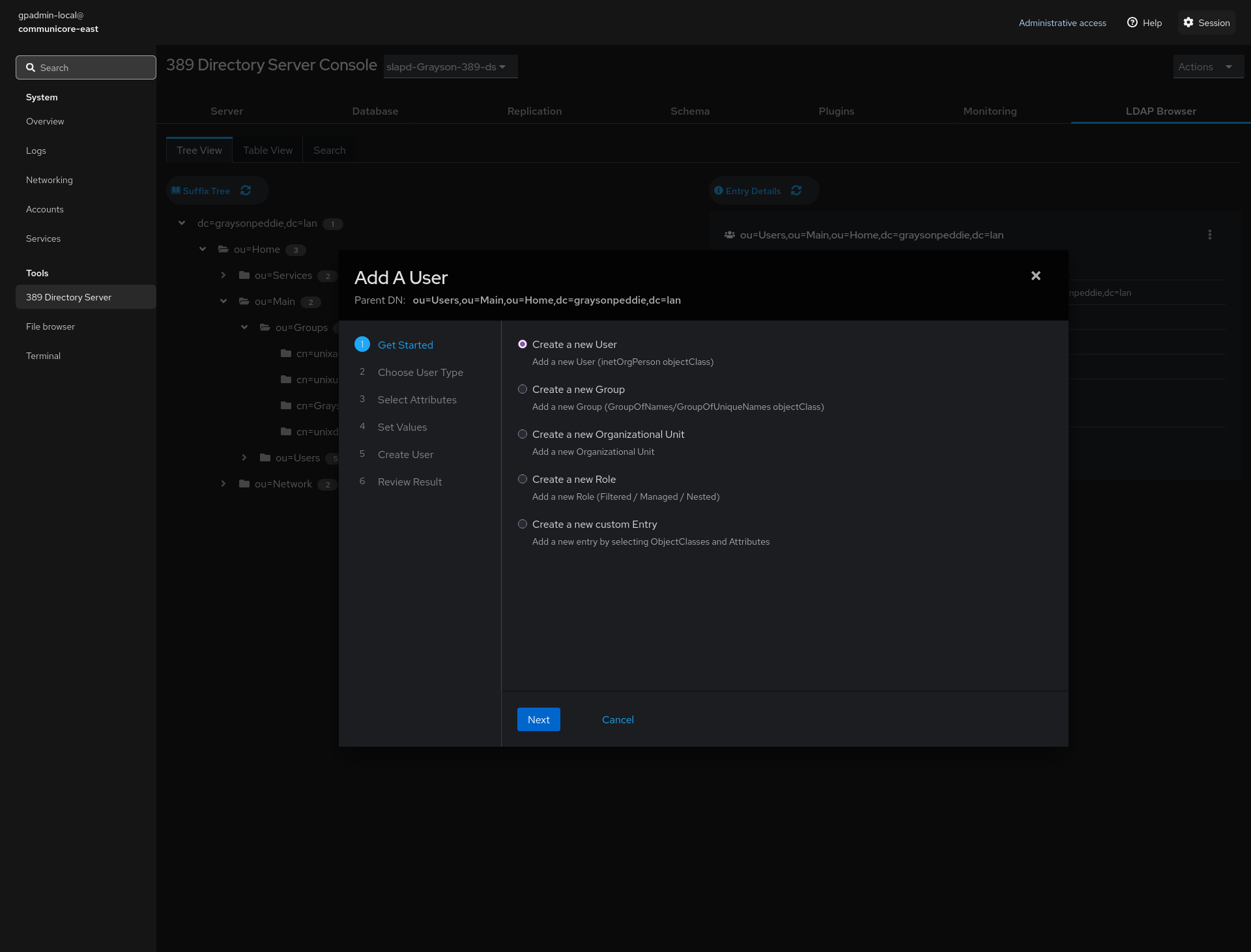
Hi all. Is it okay if I ask for feedback in here about my project that I’ve worked on for two months?
The server operating system that I developed is called jetDS. jetDS is a server management platform that uses Cockpit with 389 Directory Server as it main highlight for centrally managing users and groups which is similar to Active Directory in Windows Server minus the Group Policy that Linux ecosystem does not have.
So basically, from the marketing side of things, jetDS is not Linux, but professional Linux users will see through that it’s Linux under the hood. Basically, jetDS is marketed as an appliance.
After jetDS is installed in hardware or in a virtual machine, jetDS shows a menu for every boot and each time administrators type “exit” or “logout” from the command line.
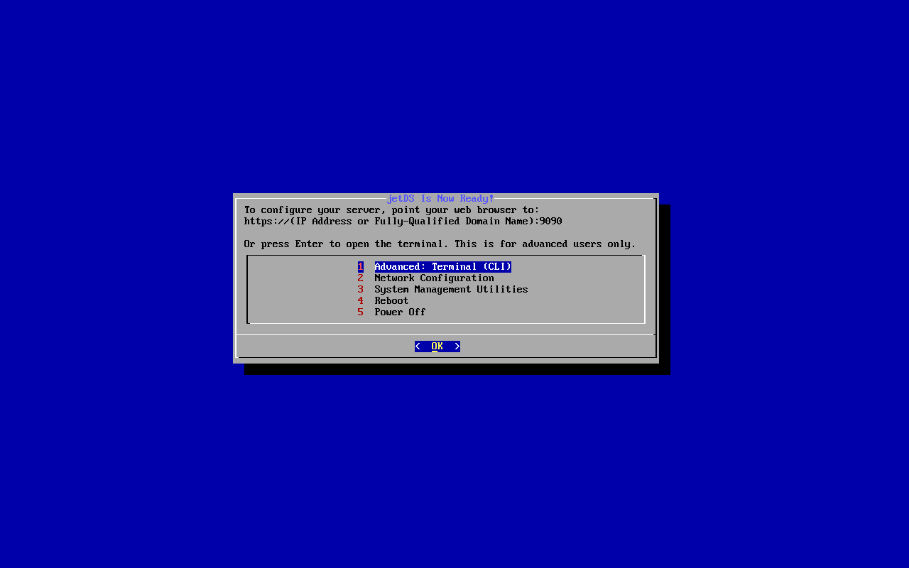
There are several options. The Network Configuration launches the nmtui and System Management provides a couple of utilities. Power Off and Reboot does what it says it does. For the terminal, it’s a two-step process. This is the first step. The second step is the warning:
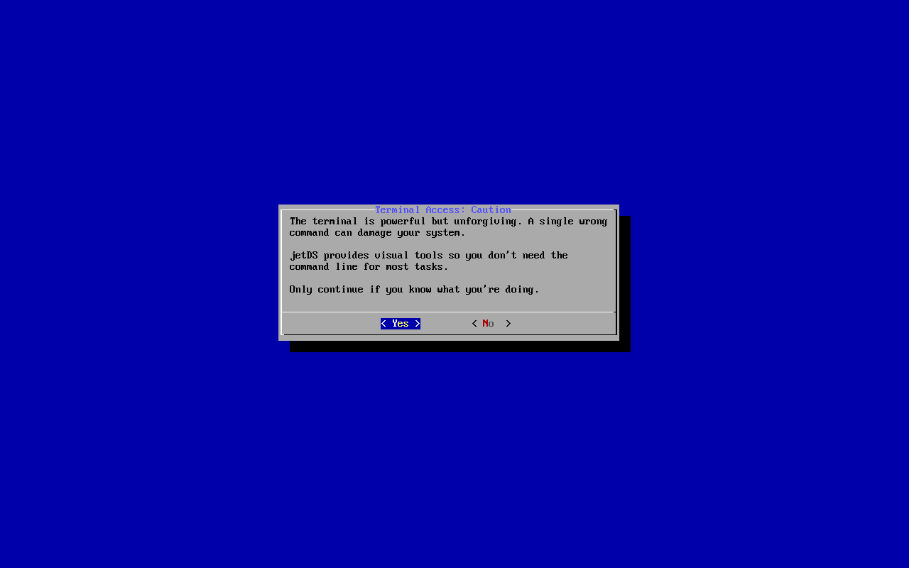
This lets administrators who are not comfortable with the command line interface (CLI) to be careful with the command line. Once the administrator says “yes”, the administrator lands into the command line by starting the getty (Get TTY) service. The custom service has the Restart property removed. By default, the getty@.service always get restarted and this is disabled in favor of getty-norestart@.service.
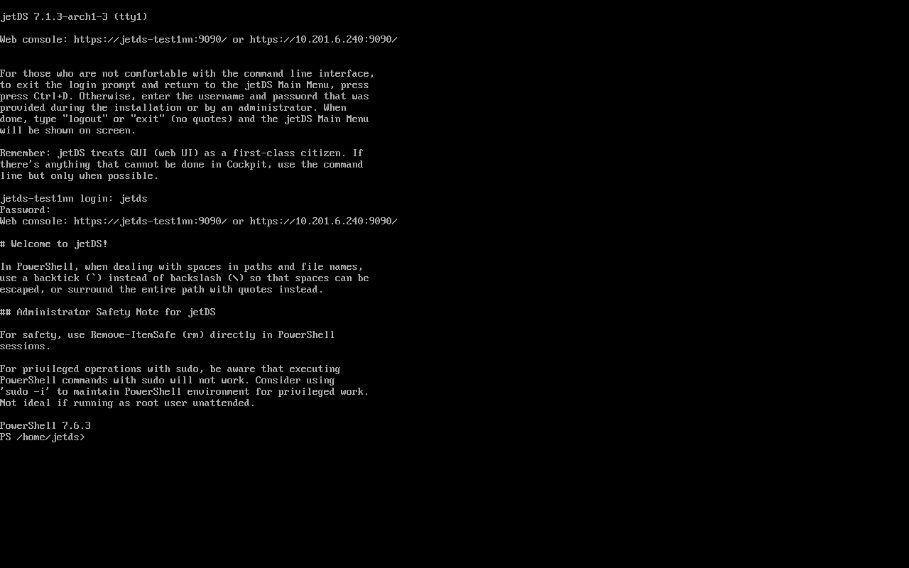
The instructions are provided for administrators who are afraid of the command line by pressing Ctrl+D to terminate getty and get back the main menu. Users can login to the shell, perform administration tasks, and when done, either type exit or logout in order to notify systemd-logind (that’s "system-d login-d for users who use screen readers). systemd-logind terminates all the processes (perhaps except for some processes) and returns the system back to the dialog script that gets executed.
Do have a look around my jetDS repository:
Notice that PowerShell is used. Does anyone remember the story where Pixar employee accidentally deleted almost everything in the server via the use of rm * command? Well, one employee who was placed in leave while working on the project actually saved the day, but before that time, the backups failed! Probably because the people at Pixar did not test their backups, but to be fair, I would like this to not be the fault of one Pixar employee who did not verify first before pressing Enter. This is where PowerShell comes in.
For Remove-Item, this command has -WhatIf and -Confirm but the problem with that is the -WhatIf takes precedence over -Confirm if both flags are used. So, with the help of an AI companion, I developed a Remove-ItemSafe function that combines both the -WhatIf and -Confirm flags into one but my function has its own custom logic for showing the list of files via the use of the less command and asking a single yes or no question.
Here’s a sample output:
PS /home/jetds/testing> rm -r test*

⚠  WARNING: Wildcard characters detected in paths!
This will match multiple files. Please review carefully.


=== PREVIEW: What will be deleted ===
Total items: 4
  [Directory] /home/jetds/testing/test1
  [File] /home/jetds/testing/test1/testfile
  [Directory] /home/jetds/testing/test2
  [Directory] /home/jetds/testing/test3
=====================================

The deletion operation cannot be undone and recovered. Proceed? (Y/N):
This would save organizations from countless horror stories regarding the rm command.
Now, this is something I do not take lightly. I base the migration from Bash to PowerShell for interactive shell as an engineering decision, not as someone who loves Microsoft. In fact, I despise Microsoft for anti-competitive practices such as enticing users to trust Microsoft by staying in Edge instead of downloading their preferred browser. I also despise Microsoft for enforcing TPM 2.0 in Windows 11 and for making people buying new computers if their computers work fine for them. But I got to give credit where credit is due only because PowerShell is an object-oriented scripting language and it can do checking to ensure that parameters do what it says it does or something like that.
Basically, traditional Unix/Linux shells expand the asterisk to include all the files and directories in an unpredictable ways. There is safe-rm from the AUR, but if a user puts an asterisk within the rm command, traditional Unix/Linux shell’s glob expansion takes priority over safe-rm and we can still have horror stories in the future.
Again, I don’t take this technical and engineering decision lightly. I’m going to receive a lot of heat from Linux traditionalist who mastered the command line, but at the end of the day, jetDS is not for them. Besides, we do have forum rules here that explicitly requests that everyone must be kind to one another. I’m not saying just to be mean to experienced Linux users, but I need to consider who I wish to target jetDS for – those who are uncomfortable working with the command line. Now let’s step away from the command line.
So how does jetDS gets its name? Imagine a cockpit which is a dashboard for controls. It controls the engines along with all the systems within the jet, right? Cockpit lives inside a jet and “Directory Server” means you control users and groups in a central location! That’s how jetDS gets its name.
For the live ISO image, I wanted to put Plasma 6.7 in the ISO, but it won’t be installed in the VM or in hardware after the Calamares installation takes place. Plasma 6.7 is chosen for the best accessibility support in Linux, especially for those with visual disability if installing in hardware. There is support for Orca screen reader, but once jetDS is installed, administrators would be relying on a web browser to access the Cockpit web interface. jetDS includes 389 Directory Server for Cockpit, Cockpit Files, Cockpit Storage, and Cockpit Pacman (cockpit-pacman came from AUR).
At the time of writing, there is a critical bug that affects running jetDS in a production environment unless administrators are comfortable with the command line. So setting up LDAPS functionality will not work from the GUI frontend for now. If anyone looks at the history of bug reports filed in the jetDS marketing page, I have been engaging with the open source community in order to improve not only on other distributions that ship Cockpit, but for jetDS as well.
With all that said, I would like to know what anyone thinks about my jetDS project so far. There is a teaser screenshot for Cockpit in my marketing page, so I suppose I can put them here.